License
Personal
For creators using the pack in their own Roblox experiences.
- R15 included
- Downloadable product files
- One-time purchase
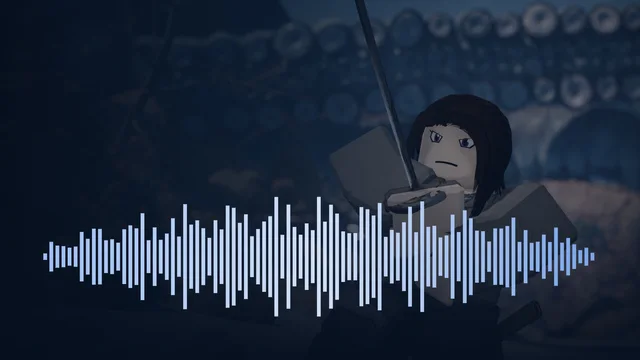
Create a katana-wielding character in Roblox Studio with 87 distinct R15 body motions covering movement, stances, drawing and...
View the animations on RobloxAnimations.com
Create a katana-wielding character in Roblox Studio with 87 distinct R15 body motions covering movement, stances, drawing and sheathing, attack gestures, reactions and weapon poses. The official Roblox R15 reference rig includes a textured katana and scabbard with their matching joints. Editable body and weapon KeyframeSequences are included. The local ComponentPlayer handles precise sheath transitions, weapon size and visibility changes. Two optional upper-body layers are separate from the 87 motions. Native files are available immediately. R15 animation files and attached props. Character controllers, damage, hitboxes, abilities, networking, spell effects, sounds, outfits and scenery are not included. Adapt timing and attachments to your game and avatar proportions. Weapons and weapon animation included Includes matching weapon and prop models: a katana and scabbard. The download contains R15 body animation, separate weapon tracks and the supplied ComponentPlayer for synchronized playback. Use ComponentPlayer for the complete weapon movement, size changes and timed visibility; playing a body-only clip does not reproduce those weapon effects. Alternate forms and temporary props appear during the matching motions. Complete animation list 87 distinct R15 motions. Body and weapon-track versions are alternate representations of the same motion. 1. Walk forward 2. Walk backward 3. Walk left 4. Walk right 5. Run forward 6. Run left 7. Run right 8. Sprint 9. Turn left 10. Turn right 11. Jump takeoff 12. Jump airborne 13. Jump landing 14. Alternate battle stance 15. Battle idle 16. Draw katana 17. Enter alternate battle stance 18. Enter battle stance 19. Leave battle stance 20. Relaxed battle stance 21. Return to battle stance 22. Sheathe katana 23. Basic katana attack 1 24. Basic katana attack 2 25. Basic katana attack 3 26. Hit reaction — forward 27. Weapon guard 28. Use item — start 29. Use item — hold 30. Use item — finish 31. Knockback 32. Knockback recovery 33. Fall down 34. Get up / revive 35. Katana — cast release 1 36. Katana — cast release 2 37. Katana — cast release 3 38. Katana — cast release 5 39. Katana — cast release 7 40. Katana — cast release 8 41. Katana — cast release 9 42. Katana — casting loop 43. Katana — casting start 44. Katana technique 1 45. Katana technique 2 46. Katana technique 3 47. Katana technique 4 48. Katana technique 5 49. Katana technique 6 50. Katana technique 7 51. Katana technique 8 52. Katana technique 9 53. Katana technique 10 54. Katana technique 11 55. Katana technique 12 56. Katana ability 1 57. Katana ability 2 58. Katana ability 3 59. Katana ability 4 60. Katana ability 5 61. Katana ability 6 62. Katana ability 7 63. Katana ability 8 64. Katana ability 9 65. Katana ability 10 66. Katana ability 11 67. Katana ability 12 68. Katana ability 13 69. Katana ability 14 70. Katana technique 13 71. Katana technique 14 72. Katana technique 15 73. Katana ability 15 74. Katana ability 16 75. Katana ability 17 76. Katana signature motion 1 77. Battle flourish 2 78. Battle flourish 3 79. Weapon pose — enter 80. Weapon pose — hold 81. Katana cinematic motion 1 82. Katana cinematic motion 3 83. Additional katana technique · 1 84. Additional katana technique · 2 85. Additional katana technique · 3 86. Additional katana technique · 4 87. Additional katana technique · 5 Optional upper-body layers (not counted as additional primary motions) - Enter battle stance - Leave battle stance Documentation languages General setup guides and animation-name references are included in 28 locales: Arabic, Chinese (Simplified and Traditional), Czech, Danish, Dutch, English, French, German, Hebrew, Hungarian, Indonesian, Italian, Japanese, Korean, Lithuanian, Polish, Portuguese (Brazil and Portugal), Romanian, Russian, Slovak, Spanish, Swedish, Thai, Turkish, Ukrainian and Vietnamese. Some new labels and pack-specific setup use English. The animations contain no player-facing dialogue or interface text. Matching WAV sounds are available as an optional paid add-on. Upload selected sounds under your experience creator and configure audio IDs and permissions before enabling playback.
For creators using the pack in their own Roblox experiences.
For studios, teams, client work, and commercial production use.
Import the R15 source files and publish animations under your experience creator. Audio starts off; upload selected WAVs, configure their IDs and experience permissions, and follow the included controller guide.
Reviews
Reviews are limited to verified buyers, so the rating reflects people who actually own the pack.
The first verified buyer review will show here.